

|
故障现象:光驱刻盘故障,光驱不能识别光盘 一、停止应用软件 1、点 2、在 “Source”栏选择 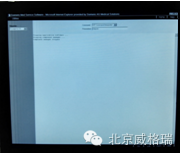 3、在“command”栏选择 “NT Command Interpreter”. 4、在“parameters”栏输入 “stopcm”然后点 “Stopping application software …” 出现,然后应用软件关闭。  5、等待“Component Manager stopped” 出现,再进行其他操作。 6、关闭维修界面 二、更改盘符 1、右键单击 2、在下拉菜单中选择 3、依次双击 4、在任务列表中选择 5、右键单击更换CD / DVD盘符 6、选择 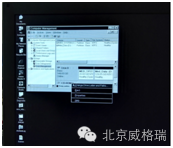 7、点击 8、根据下图进行盘符设置 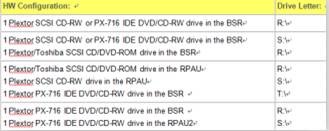 9、点击 10、通过单击 三、“Offline Device”设置 1、打开 2、单击 3、设置“the CD-RW or DVD drive as CD-RW drive with READ/WRITE access, recording speed =12 4、确认CD-ROM设置为“READ access” 5、单击 四、安装驱动 1、打开 2、在 Burning for current hardware>,最后点 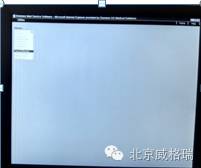 3、出现 “Tune CD Burning for current hardware was selected, this may take some minutes …” ,单击 4、当 “Driver has been successfully installed” 出现时,单击 5、关闭维修界面,点击 五、设置无损压缩 1、在应用界面单击
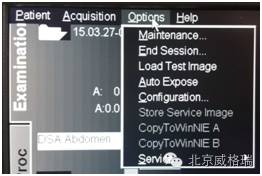
2、在Configuration Panel界面双击 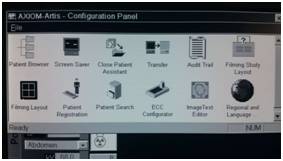 3、在Transfer Configuration界面选择CD_RW,并将 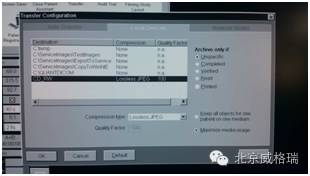 |


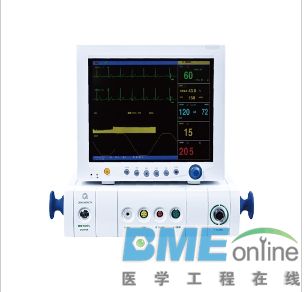




 NB300、350、380维修手册
 2025年职能部门月考核细则(医学工程部)




 浙公网安备 33010402001000号